Take the tour

A look inside BunkerTrack.

Real screens from the app, shown with sample data for a fictional fire department. Click any picture to see it full size.

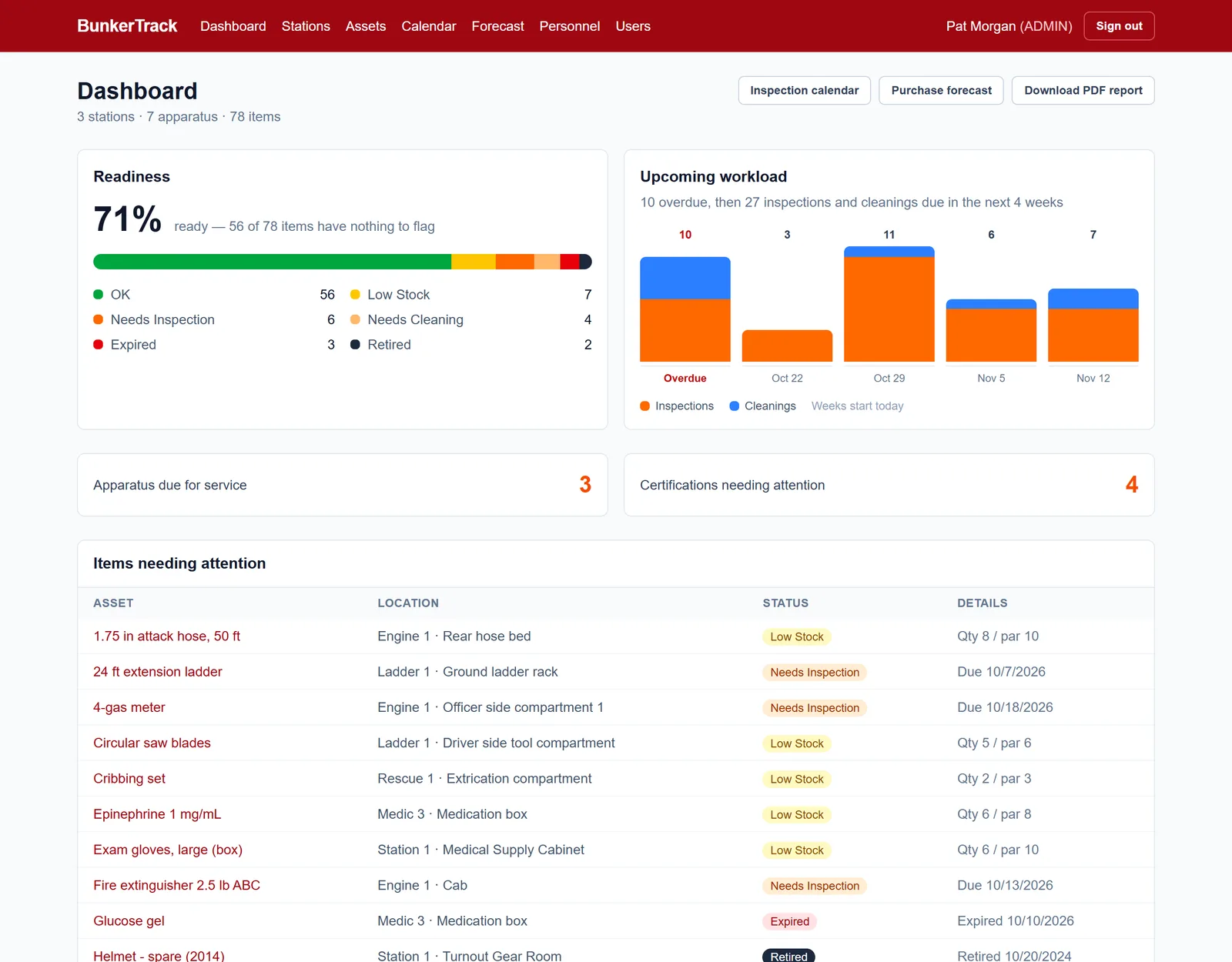
The BunkerTrack dashboard showing a 71% readiness score with a status bar, a chart of overdue and upcoming inspections and cleanings over the next four weeks, counts of apparatus due for service and certifications needing attention, and a table of flagged items such as low-stock hose and expired medications.
Dashboard. A readiness score, the next four weeks of work, and every expired, overdue, or below-par item across all your stations.
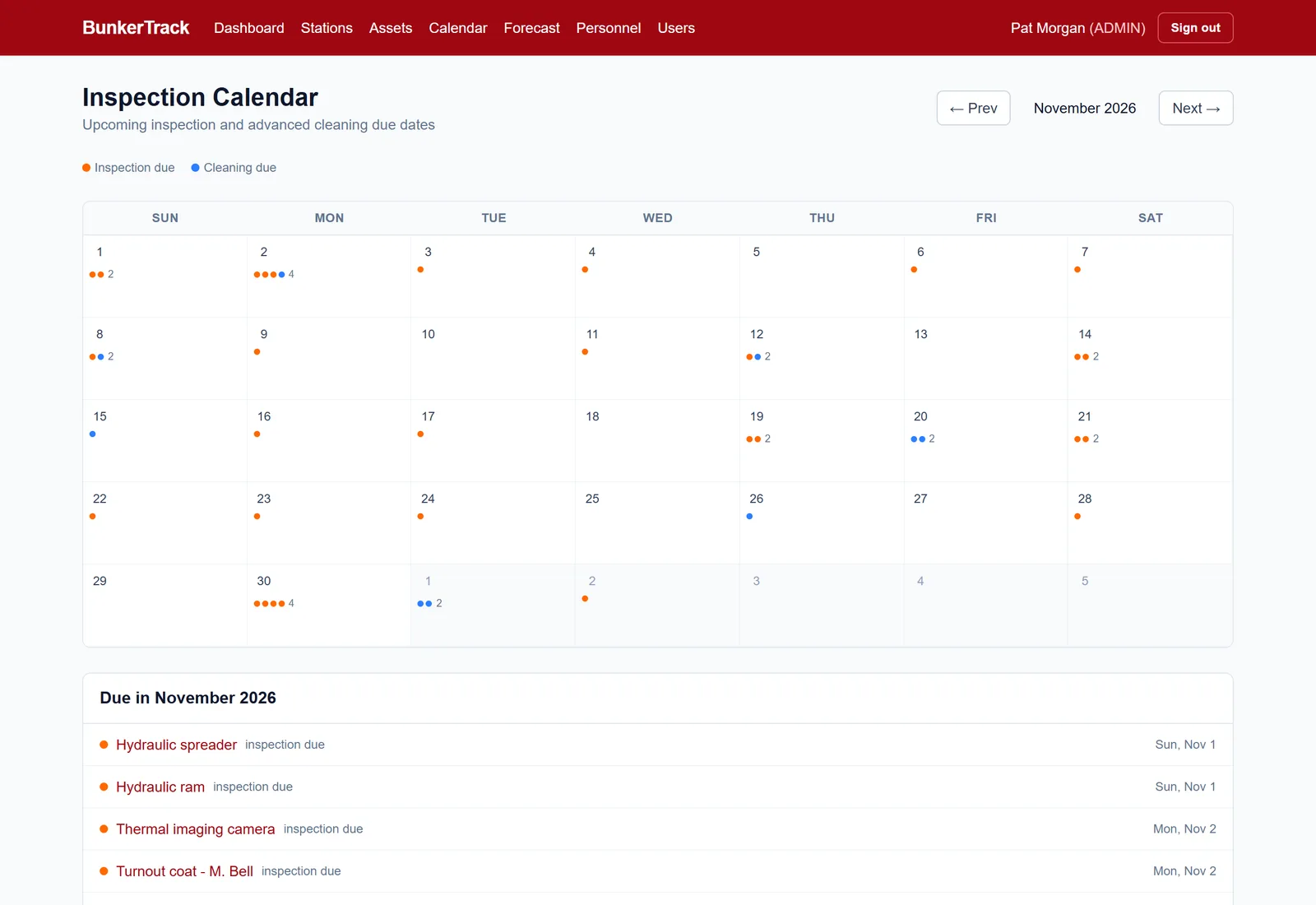
The BunkerTrack inspection calendar for a month, with orange and blue dots on each day marking inspections and gear cleanings that are due, and an agenda list of items below the grid.
Inspection calendar. A dot for every inspection and cleaning due, with an agenda of what's coming.
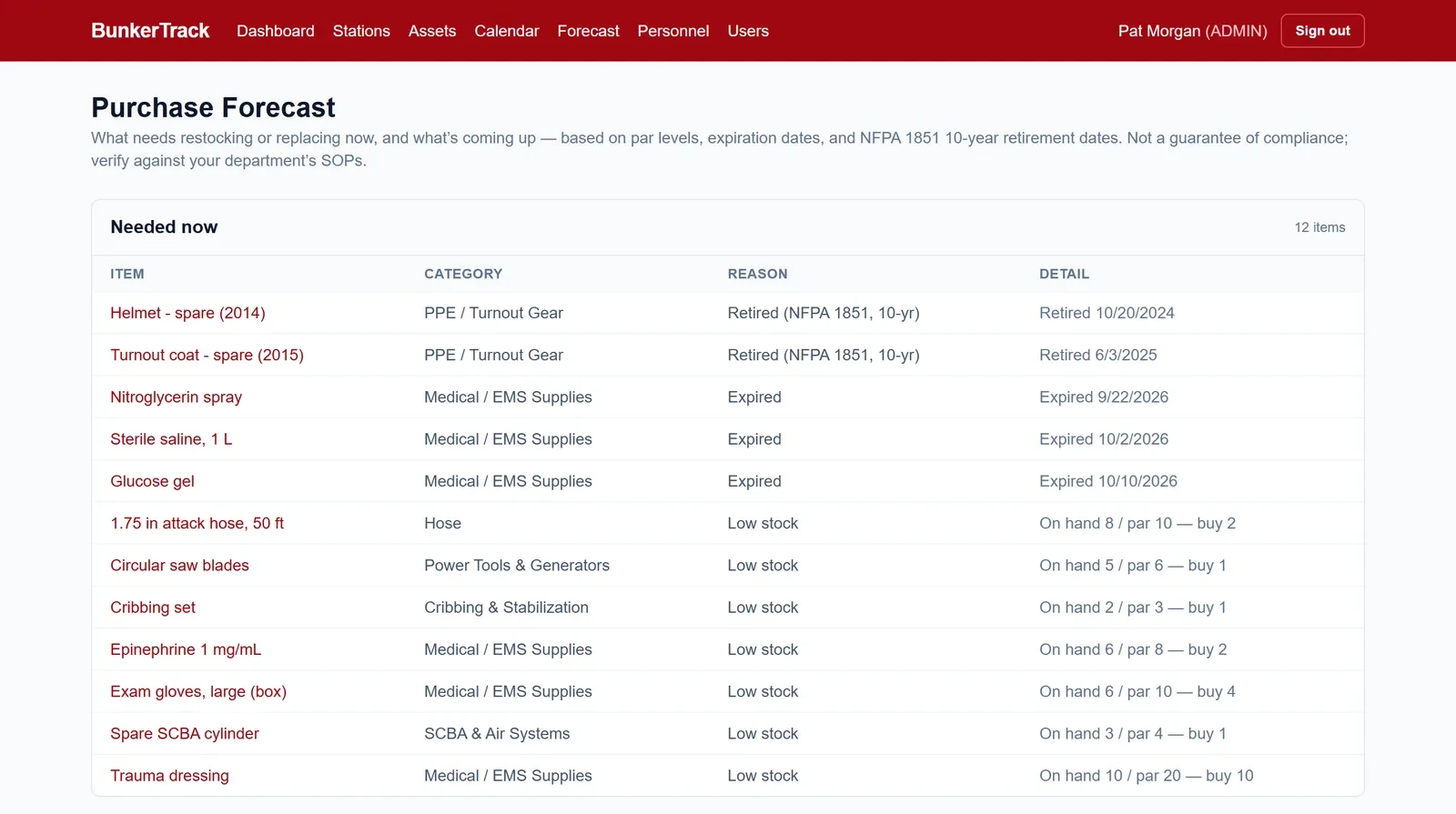
The BunkerTrack purchase forecast listing what is needed now, such as retired turnout gear, expired medications, and low-stock hose, with the reason and quantity to buy for each.
Purchase forecast. What to buy now, and what comes due over the next 30 days, 6 months, a year, and two years.
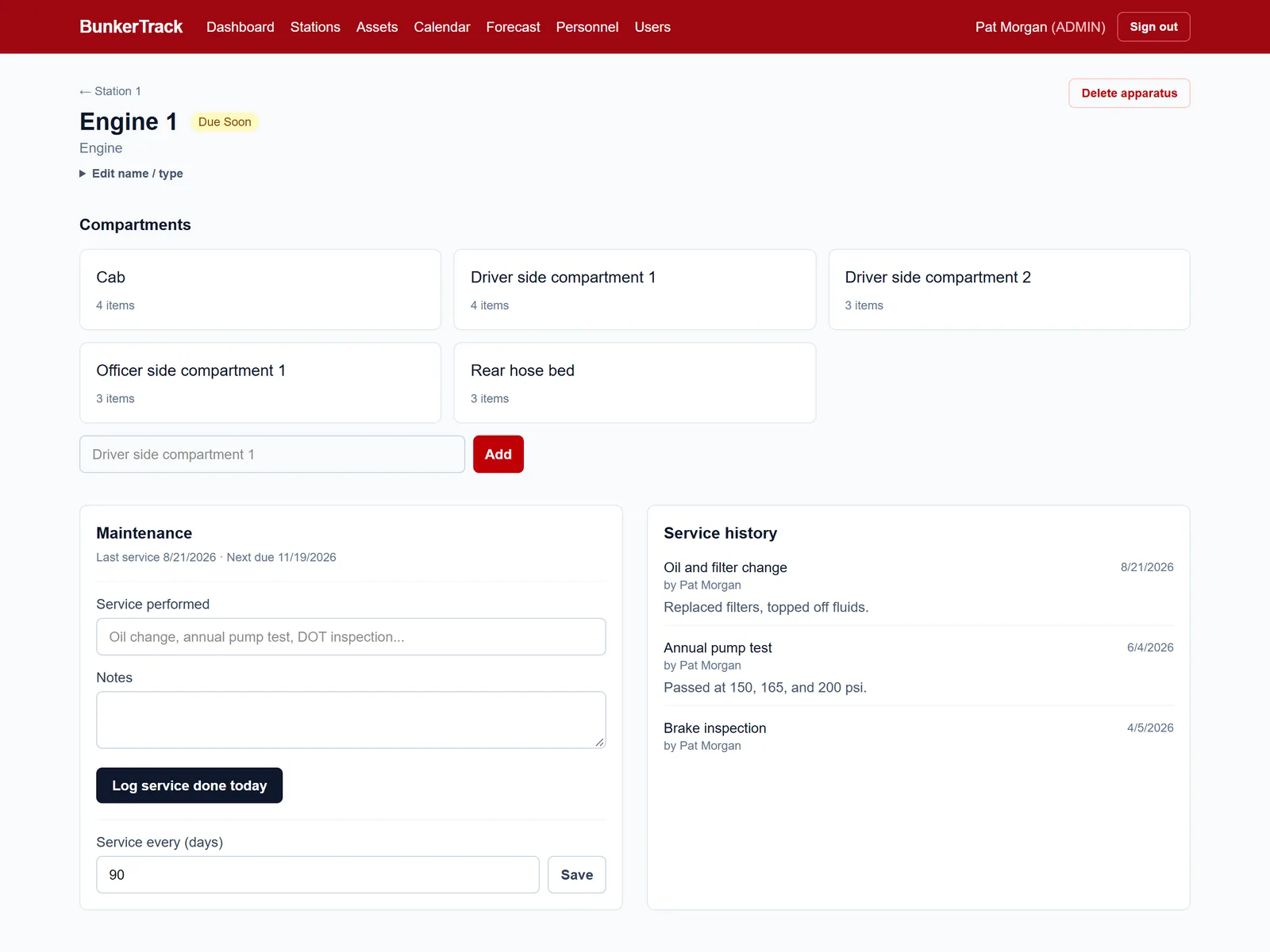
An apparatus page for Engine 1 with a Due Soon maintenance badge, its compartments, a form to log service, and a service history listing an oil change and an annual pump test.
Apparatus maintenance. Set a service interval per truck, log what was done, and see the history.
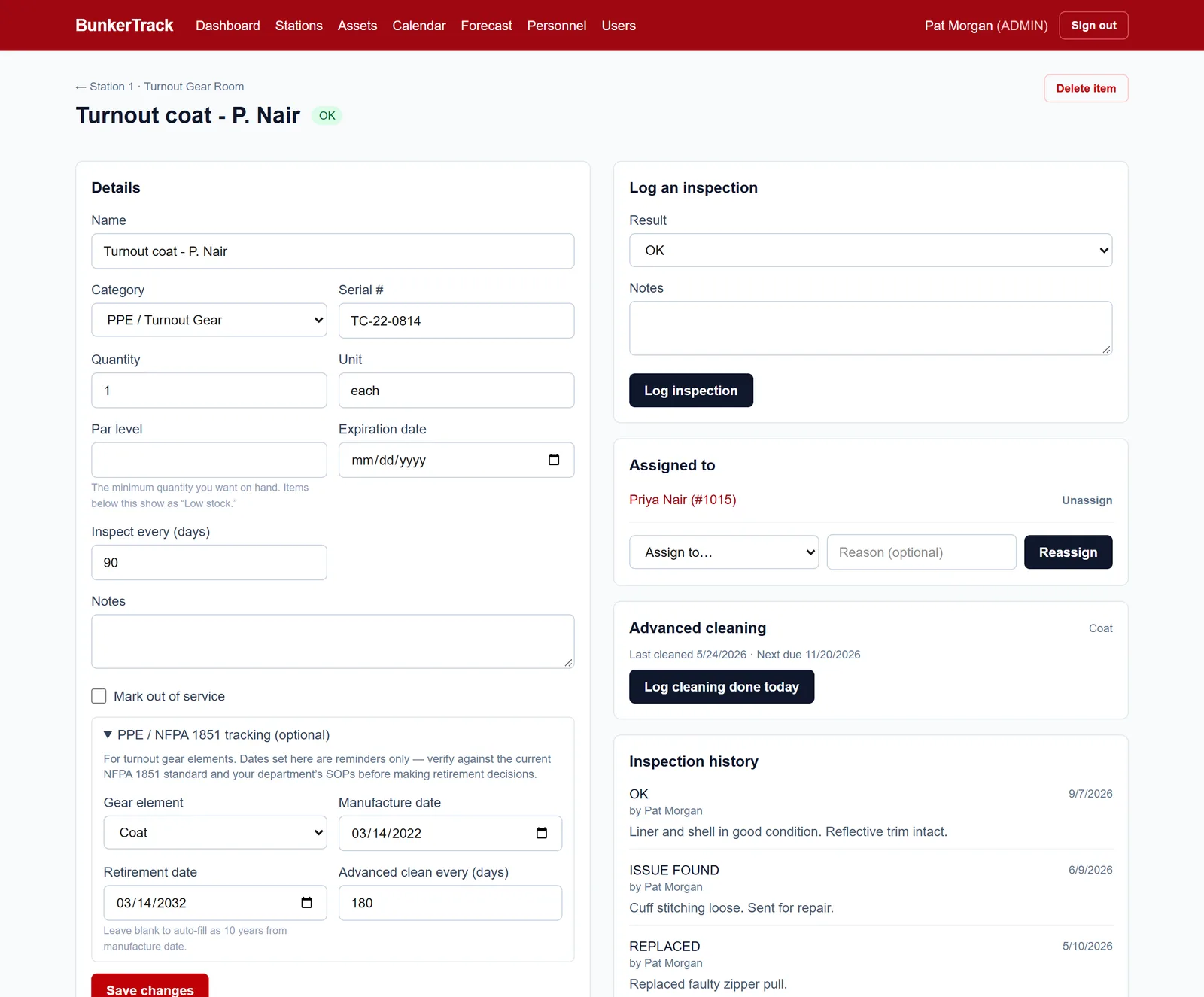
A turnout coat record with NFPA 1851 tracking fields for manufacture date, retirement date, and advanced cleaning interval, the firefighter it is assigned to, and its inspection history.
PPE / NFPA 1851 tracking. Manufacture date, advanced cleaning cycle, retirement reminder, and who has the gear.
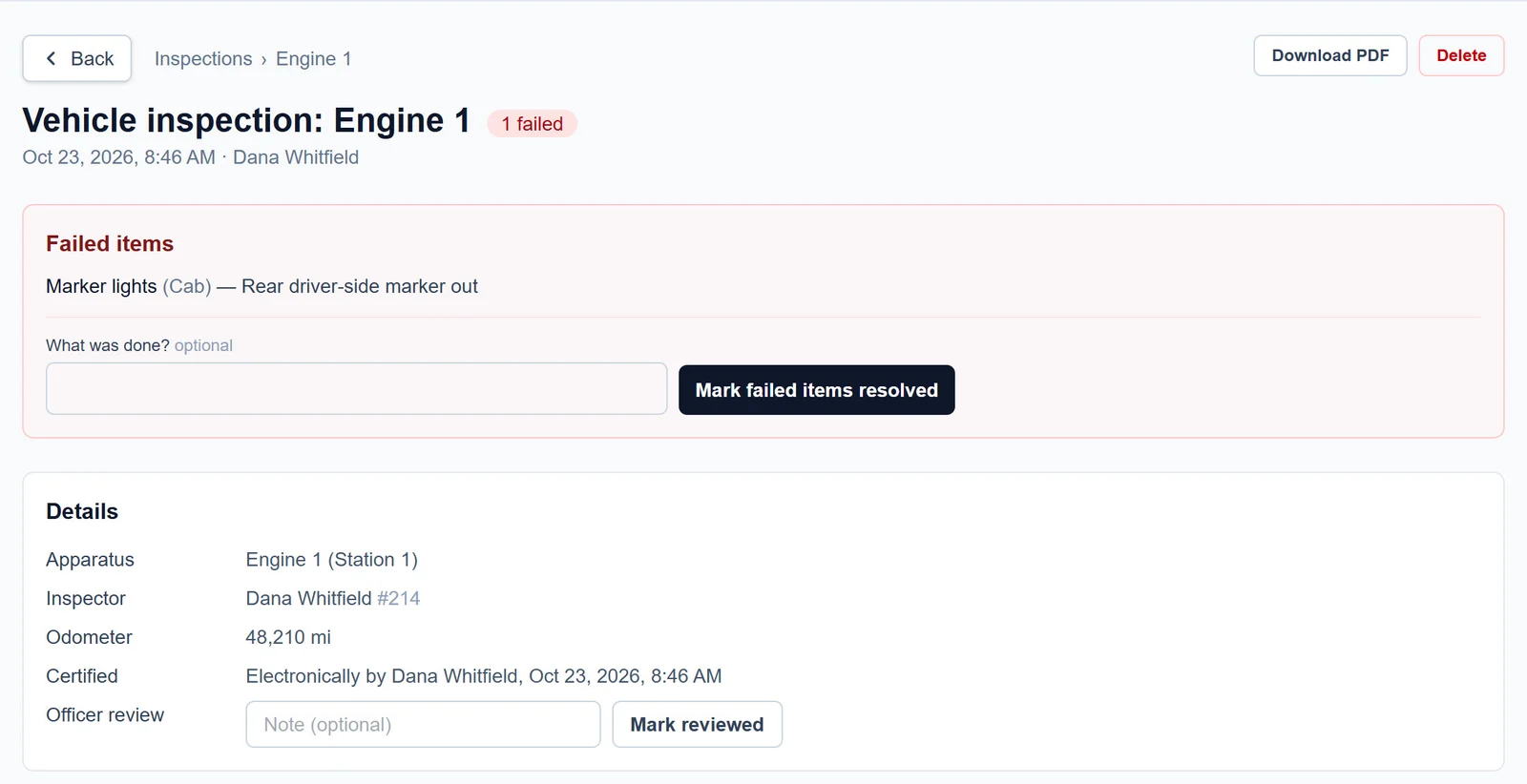
A vehicle inspection record for Engine 1 with one failed item, a note that a rear marker light is out, a button for an officer to mark the failure resolved, and details showing who certified the inspection and when.
Vehicle inspections. A certified pre-trip check, with any failed item flagged until an officer resolves it.
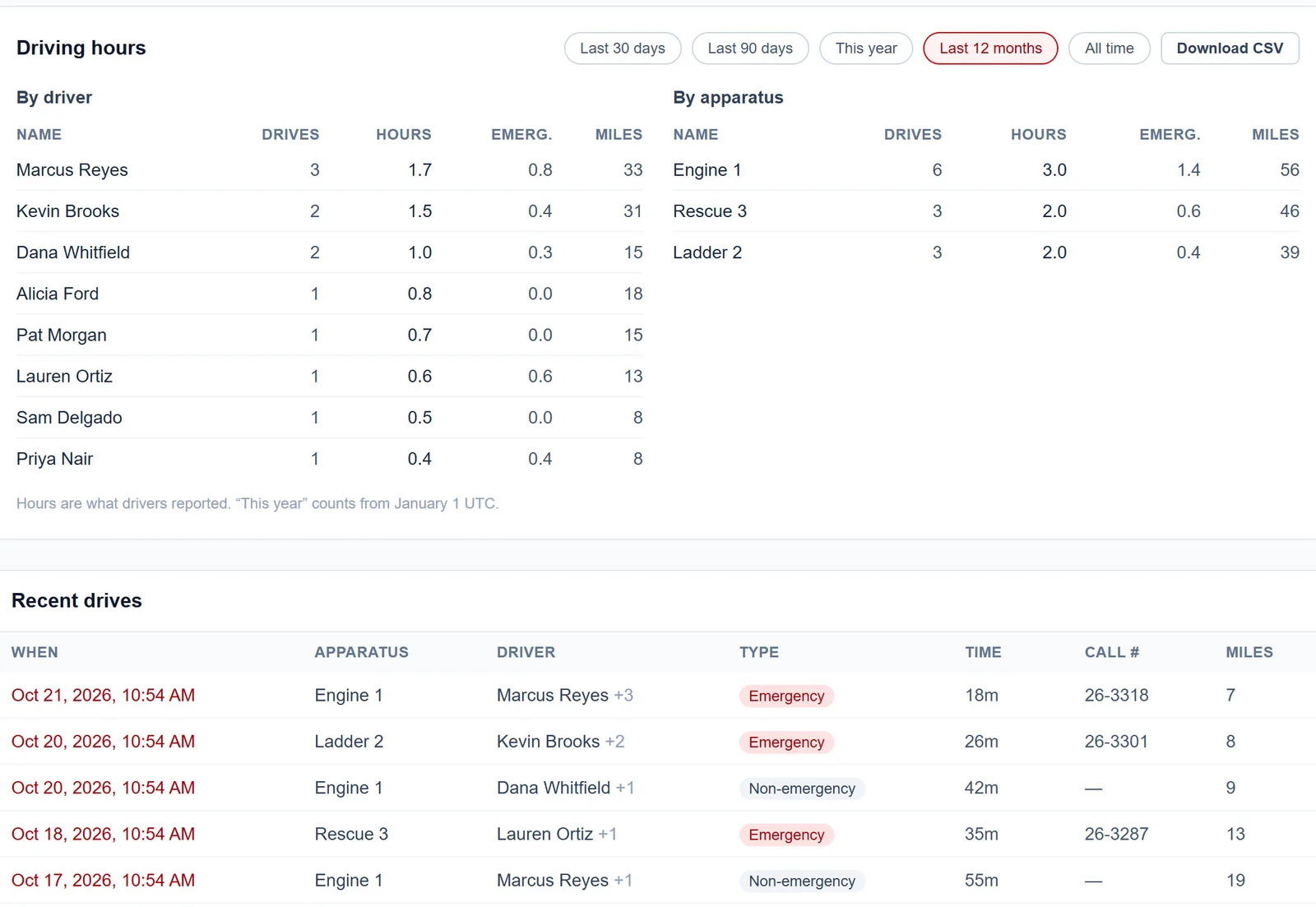
The Driving page: driving hours by driver and by apparatus over the last 12 months, with a download button, followed by a table of recent drives showing the truck, driver, emergency or non-emergency, time, call number, and miles.
Driving log. Hours by driver and by truck, plus every recent drive with its call number and miles.
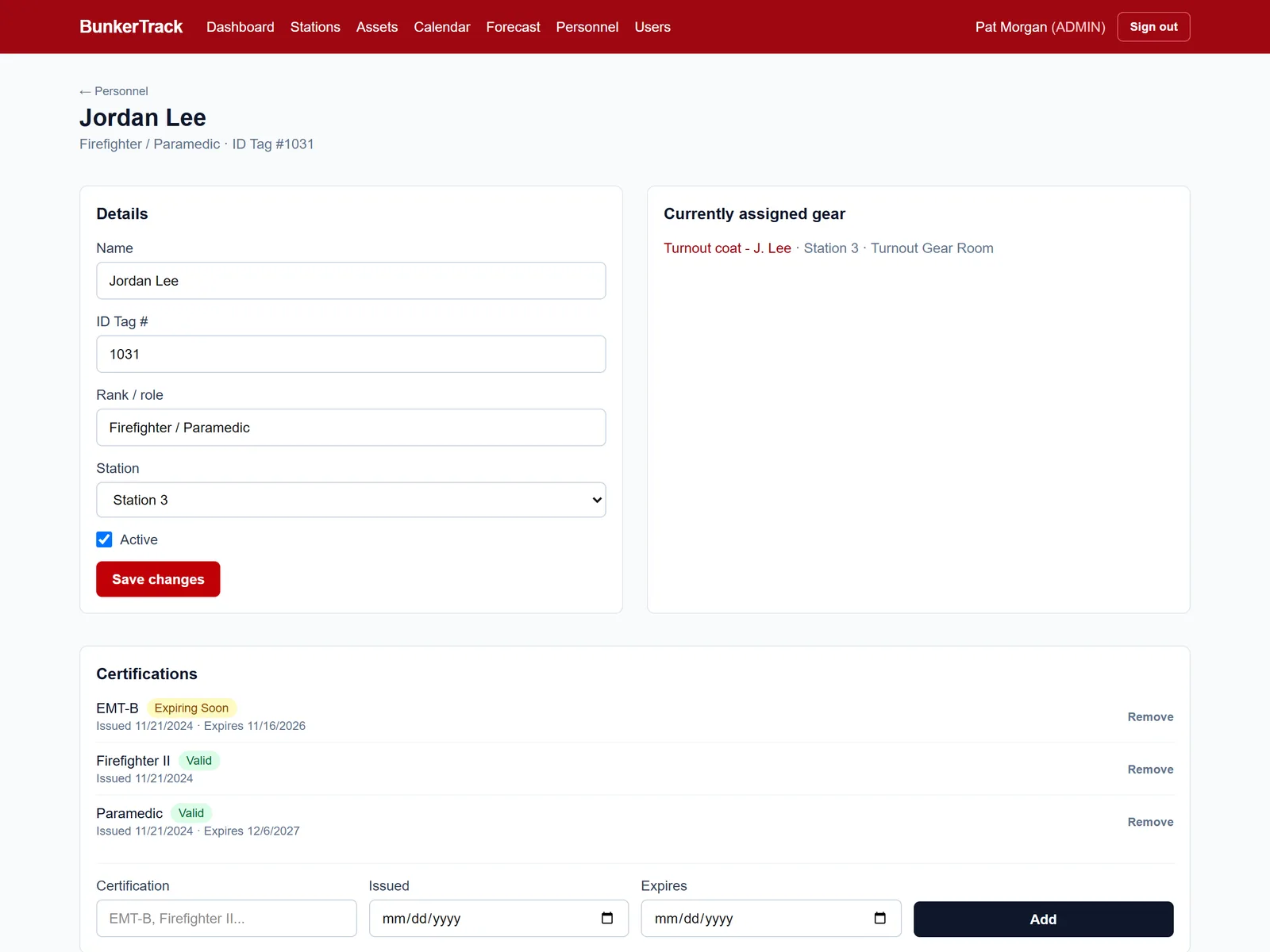
A firefighter's roster page with an ID tag number, assigned gear, and certifications such as EMT-B and Paramedic with Valid and Expiring Soon badges.
Roster, ID tags, and certifications. Each firefighter's ID tag, contact details, assigned gear, and certifications with expiration badges.
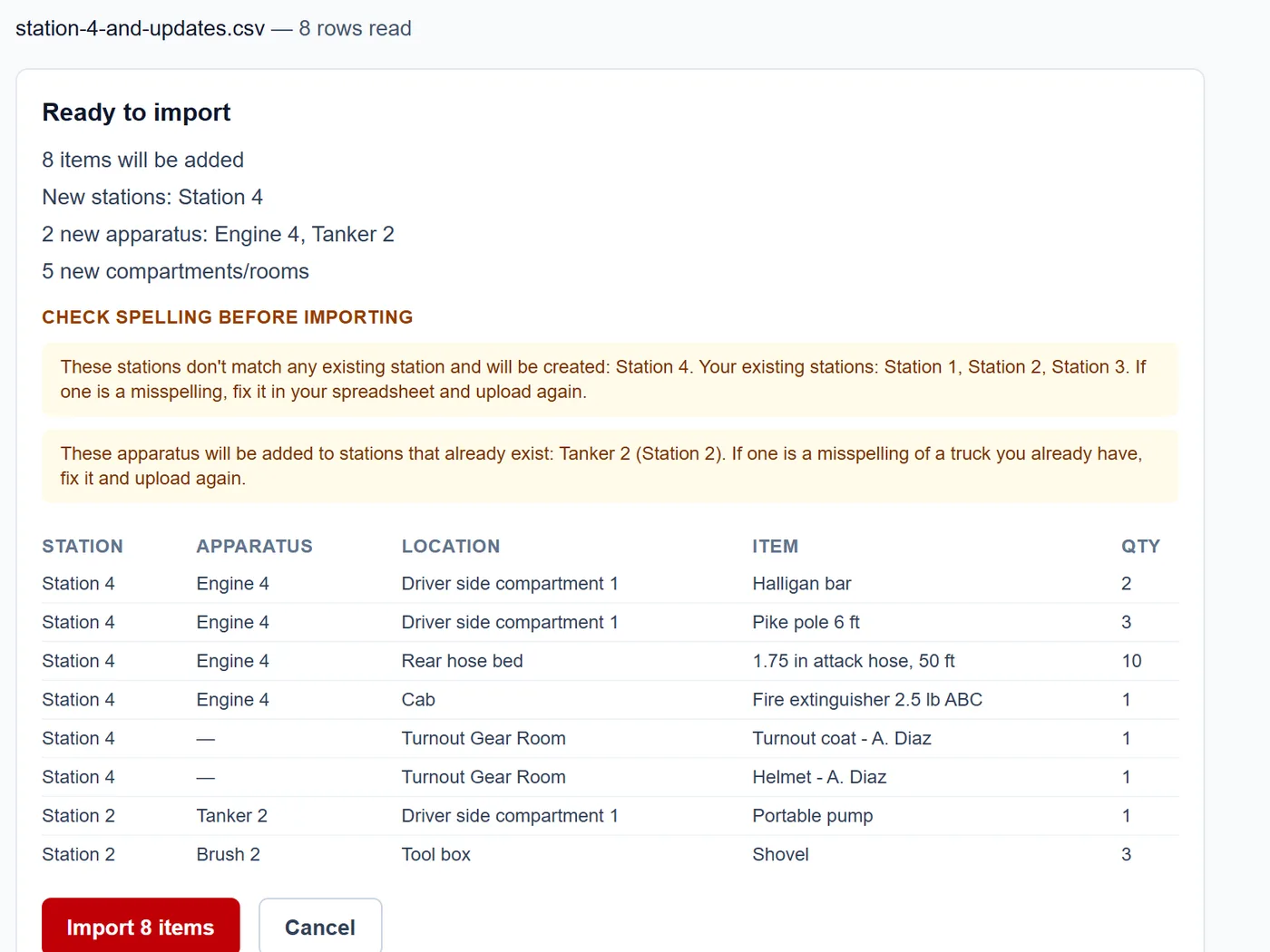
The spreadsheet import preview showing the number of items to be added, new stations and apparatus, a check-spelling notice, and a table of the first rows, with an Import button to confirm.
Spreadsheet import. Load a whole station from a spreadsheet and review a preview before anything is saved.

Works on a phone in the bay.

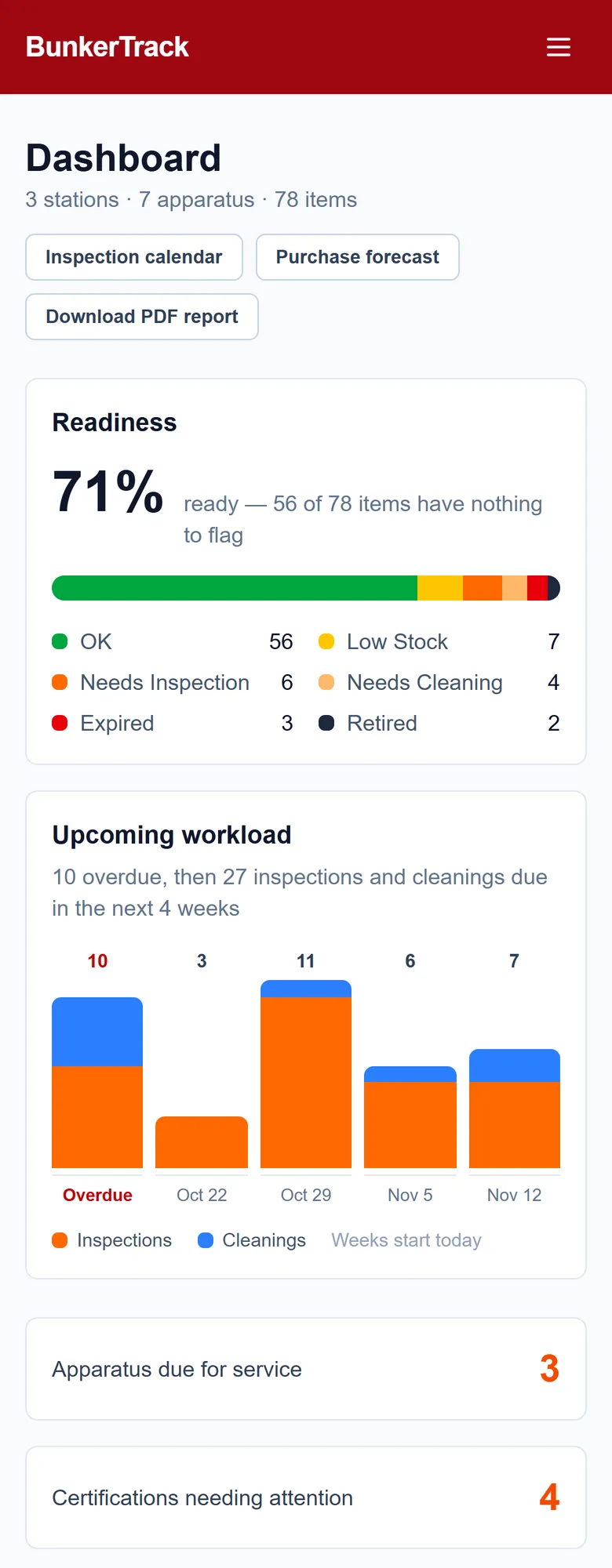
BunkerTrack runs in any browser, so the crew can check a compartment, run a pre-trip inspection, log a drive, or look up who has a set of gear from the truck, with nothing to install.
The BunkerTrack dashboard on a phone, showing the readiness score and status bar, the four-week workload chart, and counts of apparatus due for service and certifications needing attention.
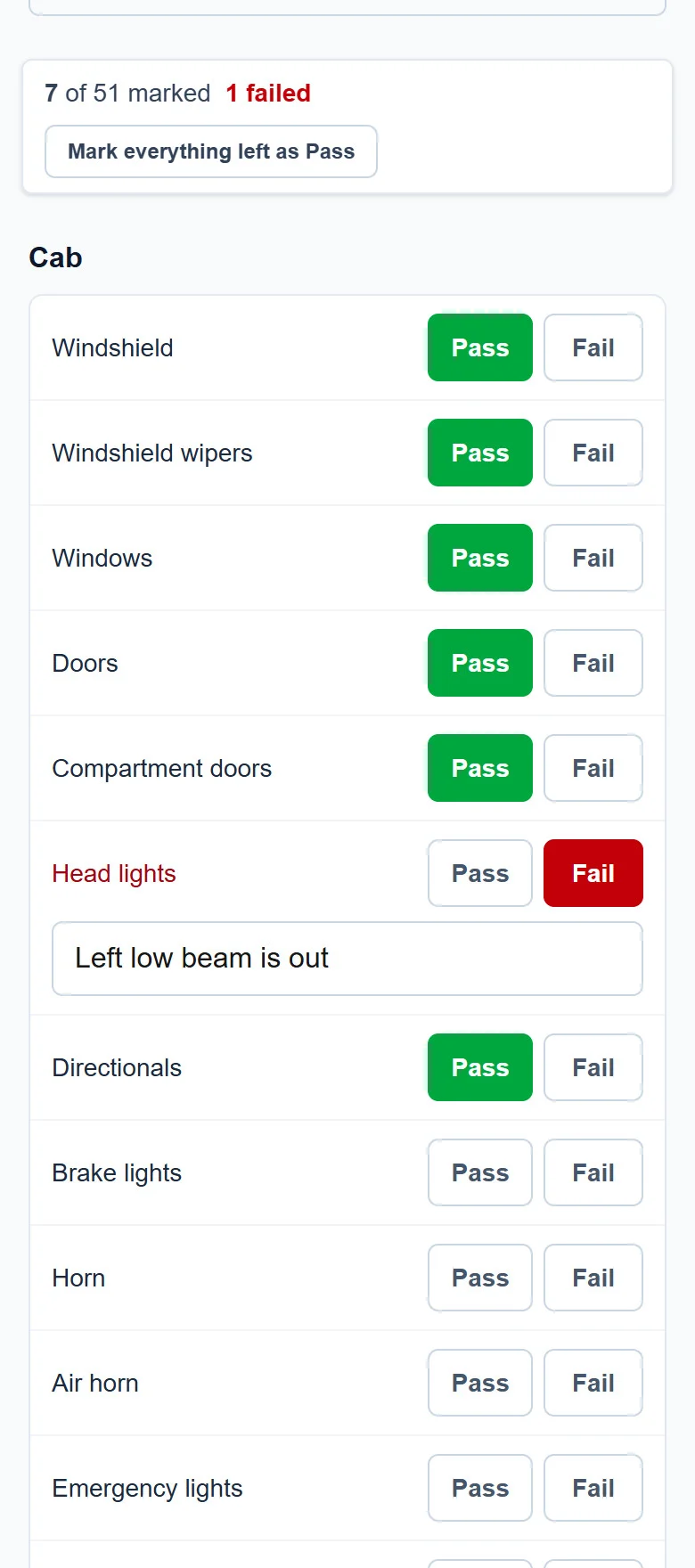
A vehicle inspection on a phone: a count of items marked, a button to mark everything left as Pass, and a checklist where each item is marked Pass or Fail. A failed headlight shows a note field with the problem written in.